IMoTE: Interactive Model Tree Explorer
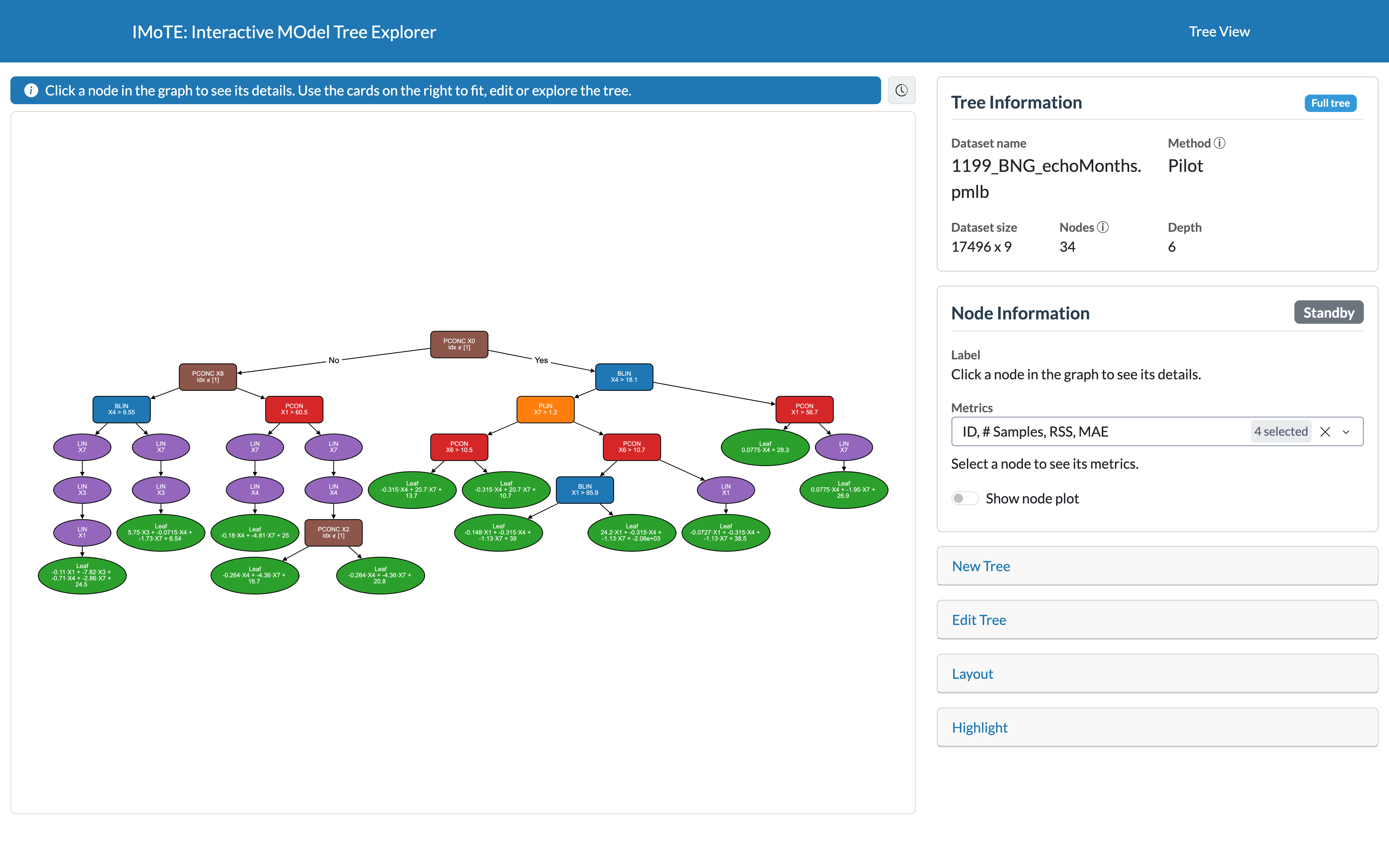
IMoTE (Interactive Model Tree Explorer) is an interactive application for fitting, visualizing, and exploring linear model trees for regression. Linear model trees are a type of regression model that aim to balance predictive performance with interpretability. It lets you fit a tree to a dataset, load a self fitted tree, inspect its structure as an interactive graph, explore individual nodes to see how they model the data, and trace a specific data point through the tree to understand a prediction. This application is designed for regression on tabular data, where the objective is to predict a continuous target value from a set of input features.
What is a linear model tree?
A linear model tree combines the interpretability of a decision tree with the flexibility of linear regression: instead of predicting a single constant value in each leaf (like a CART tree), it has a linear model in each leaf, making it more flexible. This usually gives smaller, more interpretable trees for the same predictive accuracy.
The most popular linear model tree algorithm is M5 introduced by Quinlan [1]. M5 first constructs a standard CART regression tree, after which each leaf node is replaced with a linear regression model. The resulting tree is then pruned and smoothed to improve generalization performance. Because the tree structure is created before introducing the linear models, the partitioning of the feature space does not take these models into account.
This application is developed with the PILOT algorithm [2] as main use. PILOT (PIecewise Linear Organic Tree) is a recently introduced fast linear model trees algorithm for regression. Unlike traditional regression trees, PILOT fits linear models while building the tree while keeping the rule-based structure of decision trees. It builds the tree greedily, without pruning, making it both efficient and scalable to large datasets while remaining stable and resistant to overfitting.
As for many other linear model tree algorithm PILOT had no easy way to visualize and explore its tree structure. This application was created to make linear model tree easier to understand, explain, and analyze, allowing users to fully benefit from the interpretability offered by its design.
When fitting a new tree you can choose between M5 and PILOT in the New Tree card when fitting a tree.
What can you do in the application?
- Fit a new tree on a built-in or imported dataset, or reload/save trees you've fitted.
- Explore the tree structure as an interactive graph: collapse and expand subtrees, prune the tree, combine linear chains of nodes, and adjust the layout.
- Inspect any node to see more information and a detailed plot that shows its data and possible fit.
- Highlight a specific data point to see the exact path it takes through the tree, and which leaf (and linear model) ends up making its prediction.
-
Export a svg file of the tree that is currently shown to use outside the application.
-
Load your own tree by coding a new adapter wich let you upload any tree and gives you full flexibility.
Installation
Install IMoTE from PyPI and start the app (Python 3.10 or newer):
pip install imote
imote
Then open the address shown in the terminal (by default http://127.0.0.1:8050). Saved trees, uploaded datasets and
generated plots are stored in ~/.imote, set the environment variable IMOTE_HOME to use another folder.
Where to start
Start with Interface Overview for a short tour, then you can look at New Tree to fit a new tree or look at the gallery.
The right side of the app is organized into so called interaction cards, each has its own page explaining it in more detail:
| Interaction Card | Purpose |
|---|---|
| Tree Information | Summary of the currently loaded tree |
| Node Information | Details and diagnostic plots for the currently selected node |
| New Tree | Fit a new tree, or save/load one |
| Edit Tree | Collapse, expand, and restyle the tree view |
| Layout | Control how the tree graph is laid out on screen |
| Highlight | Trace a specific data point's path through the tree |
References
[1] Quinlan, J. R. (1992, November). Learning with continuous classes. In 5th Australian joint conference on artificial intelligence (Vol. 92, pp. 343-348).
[2] Raymaekers, J., Rousseeuw, P. J., Verdonck, T., & Yao, R. (2024). Fast linear model trees by PILOT. Machine Learning, 113(9), 6561-6610.